

Popular workflows, with Imaginario’s video intelligence in the middle
Where your video lives, what Imaginario does with it, and where it goes next. Storage or a MAM on one side, Premiere Pro, DaVinci Resolve, Avid Media Composer or your channels on the other, and shot-level video intelligence in between: search, highlights, rough cuts and insights.
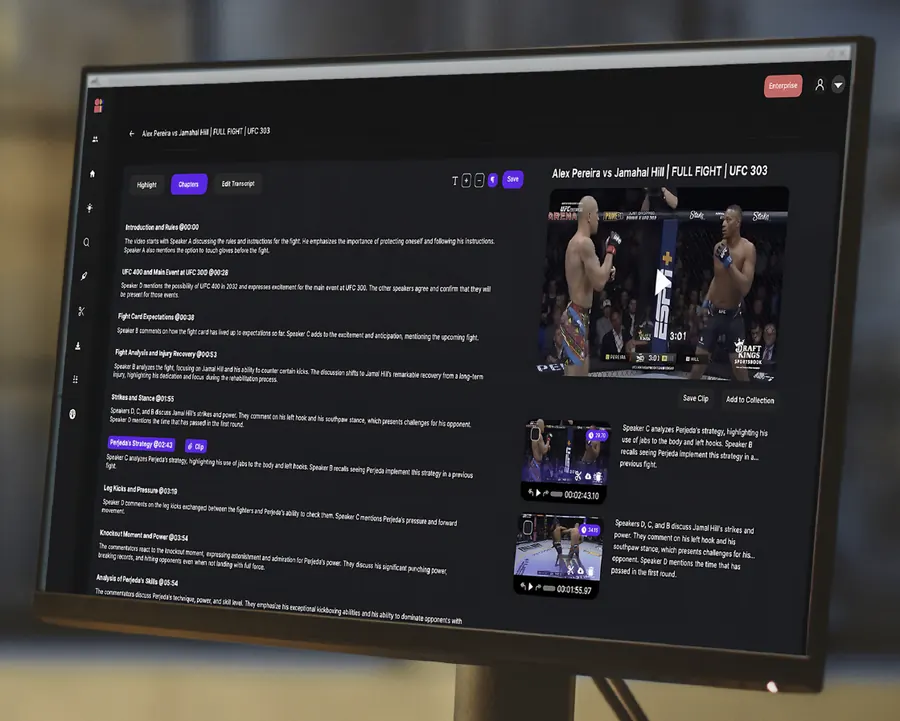
Imaginario is the video intelligence between the two ends of every workflow below. It indexes video where it lives and understands it at shot level, what is said, who appears, what happens and how the story unfolds.
From that it surfaces highlights, finds moments with dialogue, visual, audio and person search, produces the timecoded metadata behind AI indexing, cuts the moments into clips and rough cuts with StoryLab and Clip Studio, and hands the result to Premiere Pro, DaVinci Resolve, Avid, your MAM or your channels. Every storage and MAM or DAM step works in both directions, so the same connection that brings footage in sends clips and metadata back.
On-prem storage to Premiere Pro
Index the shared storage your post-production team already runs and search thousands of rushes and dailies by dialogue, visuals and people. Select the takes and soundbites, build a story spine with multi-video stories, and send clips, sequences and timecoded metadata into Premiere Pro, DaVinci Resolve or Avid Media Composer. The originals never move.
Post-production teams and facilities in factual, documentary and reality. The most common workflow among Imaginario users.
Amazon S3 to Premiere Pro
Search years of footage where it lives in S3, cut single clips for social or compilations from the whole slate, and finish in Premiere Pro, DaVinci Resolve or Avid Media Composer. The workflow Warner Bros. Discovery EMEA runs for Cartoon Network and Boomerang, with almost 70% less time spent searching and clipping for social.
Marketing, corporate communications and post-production teams in large enterprises, often all three on one library.
Google Drive to Premiere Pro
Marketing teams keep briefs, assets and video together in Drive. Imaginario indexes the folders in place so the team finds the right moment by what is said or what is on screen without opening a single file, cuts it in Clip Studio, and hands the editor a sequence for Premiere Pro, DaVinci Resolve or Avid Media Composer.
Marketing and corporate communications teams, and agencies working from a client’s Drive.
MAM or DAM to Imaginario and back
Imaginario indexes the library your MAM manages and returns shot-level, timecoded metadata and asset-level tags to it, mapped to your fields with taxonomy and schema mapping, so search inside the MAM gets better without anyone tagging by hand. See how it compares with MAM and DAM AI add-ons.
Content operations and engineering teams that run a MAM or DAM, in media and enterprise.
YouTube to Imaginario and back to YouTube
Your Imaginario team imports the channel back catalog, the team searches years of published videos by what is said and shown, and StoryLab turns the best moments into Shorts and clips that publish straight back to the channel, with captions from the same index.
Creator, publisher and marketing teams whose archive already lives on YouTube, in media and beyond.
Every workflow starts from an integration. Browse all integrations by category, see video search and curation and StoryLab for the capabilities in the middle, or ask us about a workflow that is not listed here.

Get started today
Enjoy thousands of minutes of AI analysis, transcriptions, search, and auto-captions, plus much more.